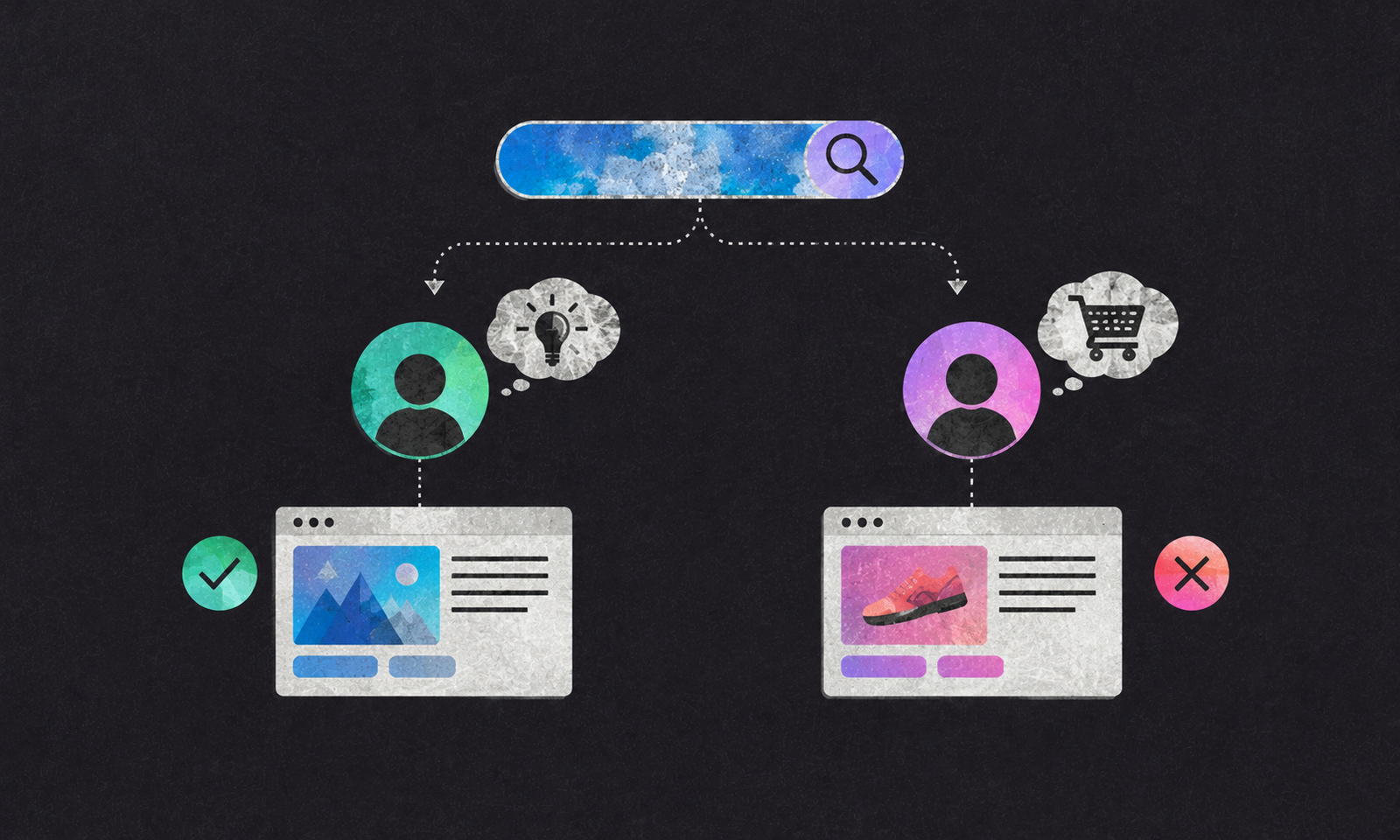
Search intent in SEO is the reason someone enters a query. A page can rank for the right words and still disappoint the reader if it gives the wrong kind of answer.
Summary
Search intent is what a person wants to do or learn when they enter a search query. They may want information, a particular website, help comparing options or a place to buy. Good SEO content matches the page to that need. A page that targets a valuable keyword but answers a different question can attract visits without helping readers or the business.
Internet Culture · Playbook · Content 003
Helps you decide: what kind of page to create for a search query, and how to tell when your article is attracting the wrong reader.
Why this is worth ten minutes
- A keyword tells you what someone typed. Search intent helps you understand what they expected to find.
- A page can attract clicks while failing the reader, which is why rankings and useful visits are not the same thing.
- Search intent helps you decide whether to write a guide, a comparison, a product page or something else entirely.
- The search results can offer clues, but they should not replace talking to customers or understanding your own business.
1 The room
A team finds a promising keyword. It has enough searches, the competition looks manageable and the topic fits the business.
They publish an article. It gets some visitors, but readers do not sign up, buy or explore anything else. The team decides the traffic is “low quality.”
Sometimes that is true. Sometimes the page simply answered a different question from the one the reader brought.
Someone searching for “best project management software for a small team” is probably comparing options. A page that explains what project management means may be accurate, detailed and still unhelpful. The keyword matched. The page did not.
That is the search intent problem.
2 What is search intent in SEO?
Search intent is the goal behind a search. The same person can use different words depending on what they are trying to do.
A useful starting point is to group searches into four broad types.
| Search intent | What the person wants | Example query | Page that may fit |
|---|---|---|---|
| Informational | An answer or explanation | “What is contribution margin?” | A clear guide or definition |
| Navigational | A particular website or brand | “Microsoft Clarity login” | The official login or product page |
| Commercial research | Help comparing or evaluating options | “Best CRM for a small sales team” | A comparison or buying guide |
| Transactional | A way to buy, sign up or take action | “Buy email marketing software” | A product, pricing or signup page |
These are useful labels, not four sealed boxes. A search such as “HubSpot pricing” could mean someone is comparing plans, checking a known product’s cost or getting ready to buy. The query gives you a clue. The rest of the page, the search results and the reader’s context help you interpret it.
Google’s guidance on creating helpful, reliable, people-first content is a useful reminder that a page should serve people, not just contain the words they searched.
3 How do you tell whether a page matches the search?
Start with the query, then look at the page through the reader’s eyes.
What did the person want to do? Learn, compare, find a known site or take an action?
What format would help? A definition, step-by-step guide, product page, comparison, calculator or local listing?
What did they expect to see first? Someone searching “how to calculate customer acquisition cost” probably wants the formula early. They may appreciate the reasoning and caveats later, but they should not have to read a long introduction before getting the answer.
What would a useful next step be? A person researching pricing may need a worked example. A person ready to buy may need product details, terms and a clear way to purchase.
The search results can provide clues about the format Google currently shows for a query. But do not treat the results page as a perfect description of what every searcher wants. Search results can vary by location, time and context.
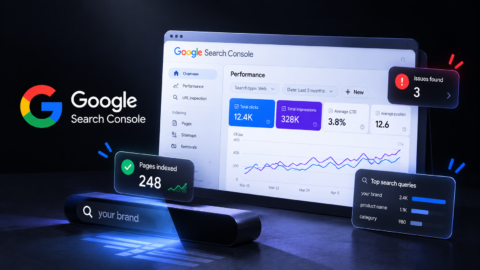
Use Search Console to see which queries lead to a page and whether people click. Google’s Performance report documentation explains how to inspect clicks, impressions, click-through rate and average position. Those figures help you spot a mismatch. They do not explain it by themselves.
THE QUERY-PROMISE MATCH
Before writing a page, match the search query to the promise the page makes.
Query: What did the person type?
Intent: What are they trying to learn, compare, find or do?
Page: What format will help them?
Promise: What should the headline tell them they will get?
Next step: What would be useful after the answer?
If the query says “compare,” a page that only defines the category has missed the job. If the headline promises a price comparison, the page needs to help the reader compare actual prices.
4 The mechanism stack
01. Keywords are clues, not instructions. Search phrases reveal language people use. They do not tell you the whole question, the reader’s experience or what they need next.
02. The same word can carry different intent. “Brand strategy” could be a student looking for a definition, a founder looking for help or a marketer comparing agencies. One page may not serve all three equally well.
03. The first answer sets the reader’s expectations. If the query asks a direct question, answer it clearly near the top. Then add explanation and detail. This also makes the article easier to understand when a paragraph is read on its own, as we explain in how search is shifting from clicks to citations.
04. Search intent can change. A query may become more commercial as a category matures, or shift when a product, event or news story changes what people want to know. Review important pages instead of assuming the intent is fixed forever.
05. The right visit depends on the page’s job. An informational article may help build understanding and trust without producing an immediate purchase. A product page should make it easier to evaluate and act. Judge a page by the role it is meant to play, not by one conversion metric alone.
06. A good page does not need to copy the results page. Looking at search results helps you understand what is currently visible. It does not mean you should copy every heading or format. Your page still needs a clear reason to be more useful.
5 The counter-weight
Search intent is inferred, not read directly from someone’s mind. Two people can type the same query for different reasons. A content team must make a reasonable choice about the main need the page will serve.
Search results can mislead. The pages that rank today are not always the pages readers find most useful. Results can also differ by location, device and personal context. Use them as evidence, not as instructions.
Not every informational visit should convert immediately. Someone learning a concept may not be ready to buy. The page can still be useful if it answers the question and offers a relevant next step without forcing a sale.
One page cannot be everything. Trying to make one article answer every beginner, buyer and expert question often produces a page that serves none of them well. If the needs are genuinely different, separate pages may be clearer.
Internet Culture verdict desk
A keyword tells you what someone typed. Search intent tells you what they came for.
6 Steal this
01. Pick one important page and write down the main query you want it to serve.
02. Finish this sentence: “The person searching this wants to…” If the answer is vague, research the query further.
03. Check whether your page format fits. A comparison query may need a comparison. A definition query may need a direct explanation.
04. Read the headline and opening as if you were the searcher. Do they promise and deliver the answer you expected?
05. Check Search Console for the queries that already bring people to the page. Look for searches the page only partly answers.
06. If the page is getting impressions but few clicks, review its title and description. If people click but quickly leave, check the promise, format and opening before adding more keywords.
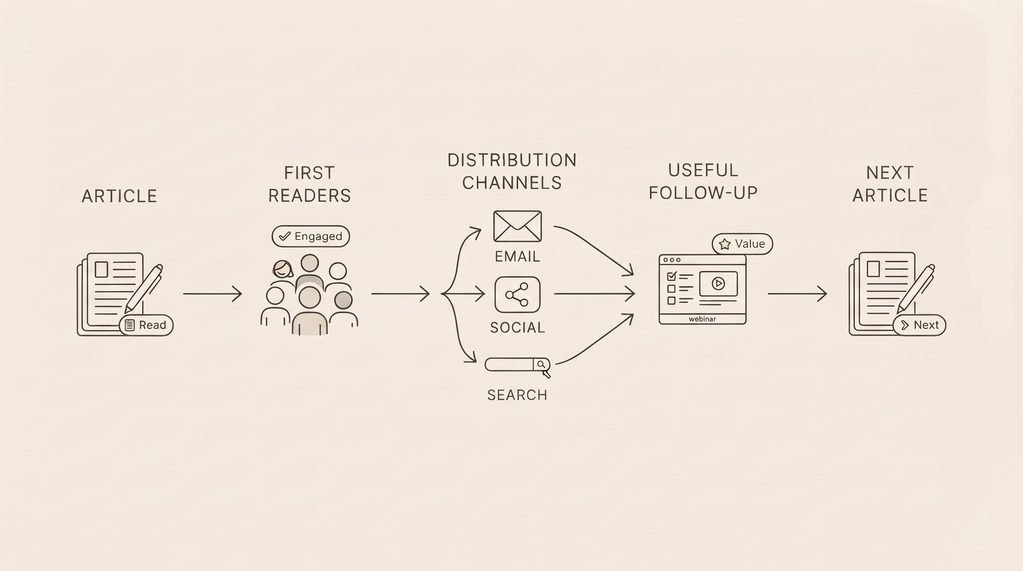
07. Once the page answers the query well, plan how readers will discover it. Our guide to content distribution covers what to do after publication.
7 Frequently asked questions
What is search intent in SEO?
Search intent in SEO is the reason behind a person’s search query. The person may want information, a particular website, help comparing options or a way to take action. A useful page matches its content and format to that need.
What are the four types of search intent?
The four commonly used categories are informational, navigational, commercial research and transactional. They describe broad search goals, but real queries can combine more than one intent.
How do I find the search intent for a keyword?
Look at the wording of the query, the pages appearing in search results and the questions customers ask. Then decide what the searcher is trying to learn or do. Treat the search results as evidence rather than a final answer.
Can one page target more than one search intent?
Sometimes. A guide can explain a topic and help readers compare options. But when the needs require very different formats or next steps, separate pages are usually clearer than one page trying to do everything.
Why does my page get clicks but no conversions?
The page may not match what visitors expected, or they may not be ready to take the action you want. Compare the query, the headline, the answer and the next step. A mismatch between those elements can bring visits without producing useful outcomes.